
Create before-and-after sliders
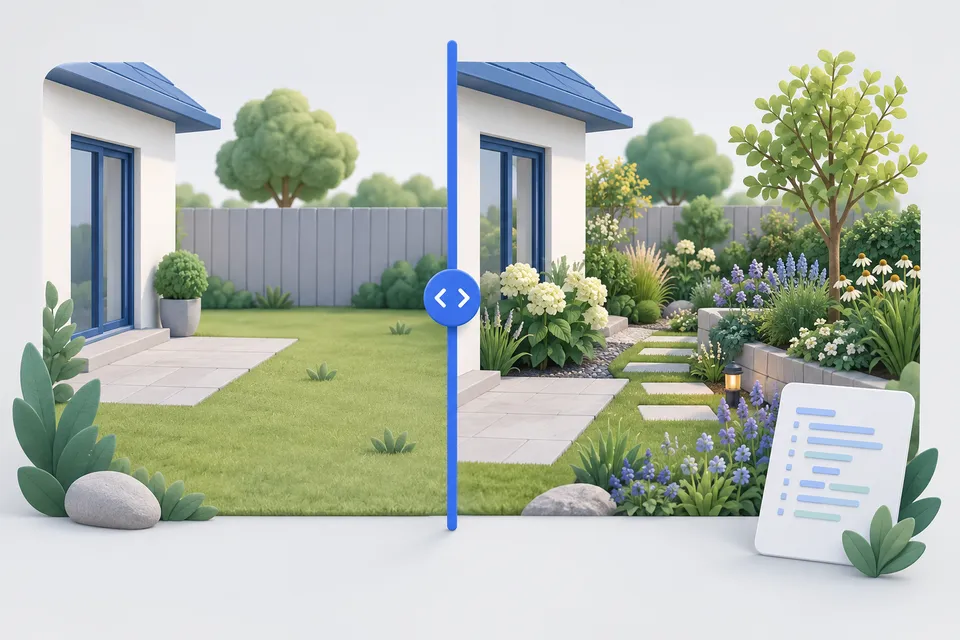
Put two images on top of each other and compare them to a control for crafting, renovation, restoration or image editing. You get ready-made code for incorporation, without a third party library and without dependence on a service.
How it works
Compare two images with a regulator
- Choose two images
- Select alignment and presentation
- Incorporate slider code into the website
The two images
Your images stay on your computer. The generated code uses their filenames. Upload them to your server or use the ZIP package below.
Settlements
0 % zeigt nur „nachher“, 100 % nur „vorher“.
<!-- Vorher-Nachher-Vergleich, erzeugt mit seitensicht.de -->
<style>
.ba-vergleich {
  /* Alle Stellschrauben an einer Stelle. */
  --ba-pos: 50%;
  --ba-linie: #ffffff;
  --ba-griff: #1f5fd6;
  --ba-radius: 12px;
  --ba-breite: 3px;

  position: relative;
  max-width: 900px; margin-inline: auto; border-radius: var(--ba-radius); overflow: hidden; /* Without this indication, the layout jumps as soon as the images arrive. */ line-height: 0; touch-action: none; } .ba-comparison img { display: block; width: 100%;
  height: auto;
  user-select: none;
  -webkit-user-drag: none;
}

.ba-vergleich .ba-nachher {
  position: absolute;
  inset: 0;
  /* Der Zuschnitt folgt der Reglerposition. clip-path statt Breite, damit das Bild
     nicht gestaucht wird, sondern wirklich beschnitten. */
  clip-path: inset(0 0 0 var(--ba-pos)); } .ba comparison .ba line { position: absolute;
  top: 0;
  bottom: 0;
  left: var(--ba-pos);
  width: var(--ba-breite);
  transform: translateX(-50%);
  background: var(--ba-linie);
  pointer-events: none;
}

.ba-vergleich .ba-griff {
  position: absolute;
  top: 50%; left: 50%;
  transform: translate(-50%, -50%);
  width: 44px;
  height: 44px;
  border-radius: 50%;
  background: var(--ba-griff);
  border: var(--ba-breite) solid var(--ba-linie);
  display: grid;
  place-items: center;
  color: var(--ba-linie);
  font-size: 14px;
  line-height: 1;
  box-shadow: 0 2px 8px rgb(0 0 0 / 0.25);
}

.ba-vergleich .ba-griff::before {
  content: "\2194";
  font-size: 20px;
}

.ba-vergleich .ba-regler {
  position: absolute;
  inset: 0;
  width: 100%;
  height: 100%;
  margin: 0;
  /* Durchsichtig über allem: Der eigentliche Bedienweg für Maus, Finger und Tastatur. */
  opacity: 0;
  cursor: ew-resize;
  appearance: none;
  background: transparent;
}

.ba-vergleich .ba-regler:focus-visible {
  outline: none;
}

/* Sichtbarer Fokus am Griff statt am unsichtbaren Feld – sonst sieht niemand,
   wo die Tastatur gerade steht. */
.ba-vergleich:has(.ba-regler:focus-visible) .ba-griff {
  outline: 3px solid var(--ba-griff);
  outline-offset: 3px;
}

.ba-vergleich .ba-text {
  position: absolute;
  top: 12px;
  padding: 4px 10px;
  border-radius: calc(var(--ba-radius) / 2);
  background: rgb(0 0 0 / 0.6);
  color: #fff;
  font: 500 14px/1.4 system-ui, sans-serif;
  pointer-events: none;
}

.ba-vergleich .ba-text-vorher { left: 12px; }
.ba-vergleich .ba-text-nachher { right: 12px; }

@media (prefers-reduced-motion: reduce) { .ba comparison * { transition: none !important; } }
</style>

<div class="ba-vergleich" id="ba14b16h" style="--ba-pos: 50%">
  <img class="ba-vorher" src="vorher.jpg" alt="Condition before" width="" height="">
  <img class="ba-nachher" src="nachher.jpg" alt="Subsequent condition" width="" height="">
  <span class="ba-text ba-text-vorher">Before</span>
  <span class="ba-text ba-text-nachher">Later</span>
  <div class="ba-linie" aria-hidden="true"><span class="ba-griff"></span></div>
  <input
    class="ba-regler"
    type="range"
    min="0"
    max="100"
    value="50"aria-label="Comparison between Before and Later"
  >
</div>

<script>
(function () {
  'use strict';

  // Alle Regler der Seite auf einmal – so lassen sich beliebig viele einbauen.
  document.querySelectorAll('.ba-vergleich').forEach(function (kasten) {
    var regler = kasten.querySelector('.ba-regler');
    if (!regler || kasten.dataset.baBereit) return;
    kasten.dataset.baBereit = '1';

    function setzen() {
      kasten.style.setProperty('--ba-pos', regler.value + '%');
      // Für Screenreader: Der Prozentwert allein sagt nichts.
      regler.setAttribute('aria-valuetext', regler.value + ' Prozent sichtbar');
    }

    regler.addEventListener('input', setzen);
    setzen();
  });
})();
</script>
Why the Thing Is a Slider
Underneath the picture lies a very ordinary <input type="range">You don't see that, but it's the most important part: it works with the mouse, finger, keyboard and screen reader without having to write a single line of code.
Instead, the common implementations listen to mouse movements. They look exactly the same -- but if you don't use a mouse, you can't come up with the comparison. For an element that carries the actual statement of the page, it's not an edge problem.
What you should consider
Same aspect ratio. The comparison thrives on the fact that the images coincide. Different circumstances cause the slider to slip - the page warns as soon as it notices. Cutting tool .
Same image section. Two photographs taken from slightly different angles appear restless when pushed, and a tripod or at least the same spot makes the biggest difference.
Reduce images beforehand. Both are always loaded, even the first hidden one. Two photos in full size are quickly several megabytes - the Scalers and the WebP converter help.
Installations
A snippet contains everything together and can be inserted into an HTML element of a building kit. Separately is cleaner if you have CSS and JavaScript in your own files anyway. Whole page is meant to be tried out – save file, open in the browser, ready.
The ZIP package contains the page and both images, so that the paths are right without rework. Embedding the images in the code is also possible, but makes it very large and prevents the browser from caching them.
Any number of controls on a page are possible – the script looks for all and does not work twice if it is integrated twice.
Other tools
From ‘Images and icons” and related categories. Free, with no sign-up.

Create a colour palette
Create colour harmonies and shades, extract colours from an image and check contrast against WCAG.
Open tool
Write alt text
Choose an image type, check your description and copy the finished markup.
Open tool
Create a QR code
Create sixteen QR content types with your logo and colours, as PNG, SVG or print-ready PDF.
Open tool
Resize images
Resize to fixed dimensions or a percentage, and optionally convert to another format.
Open tool
Create a legal notice
Select a legal form and enter your details to create a German legal notice under section 5 DDG.
Open tool
Check a sitemap
Parse XML, find structural errors and check whether the listed URLs are reachable.
Open tool