
Create Open Graph tags
What appears when someone sends your link on WhatsApp or shares it on LinkedIn? Without these tags, each service chooses content from your page, usually the first image and a truncated sentence.

How it works
A suitable preview for shared links
- Defining image and text
- View link preview
- Adopt open graph tags
Type of content
For start and general pages.
What Appears on Sharing
Can differ from the page title. Here, focus on what attracts clicks rather than the keyword.
WhatsApp truncates most aggressively, at roughly 90 characters.
1200 × 630 pixels. Some services will not display smaller images.
X (Twitter)
Preview
Each network truncates differently. The image is loaded locally for preview only. It stays on your computer and is not included in the generated code.
for example.de
(no title)
(no description)
for example.de
(no title)
(no description)
X
for example.de
(no title)
(no description)
for example.de
(no title)
(no description)
Still required: Title, Description, Address, Picture.
<!-- Open Graph – gelesen von Facebook, LinkedIn, WhatsApp und den meisten anderen -->
<meta property="og:type" content="website">
<meta property="og:locale" content="en_GB">

<!-- X (Twitter) – liest zwar Open Graph mit, eigene Angaben gehen aber vor -->
<meta name="twitter:card" content="summary">
What matters
1200 × 630 pixels. Some services do not display smaller images; others crop them in the centre. The generated code includes the dimensions so the network can reserve space before the image loads.
The sharing title can differ from the page title. Search results need a clear topic; sharing needs to spark curiosity. You can use a different tone here.
WhatsApp truncates most aggressively at around 90 characters. The preview cards show each network’s limit.
Two characteristics
Networks cache the result. If you change your tags, Facebook may show the old version for days. Refresh it using Facebook’s Sharing Debugger or LinkedIn’s Post Inspector.
The preview image is loaded locally here. This website does not load external images. Choose a file from your computer to preview the card; the generated code uses the image URL you entered.
For the other header tags, including title, description and canonical, use the Meta tag generator , which also generates Open Graph tags. This tool offers more detail: article and product properties, an X account and previews for each network.
Other tools
From ‘Sharing and promotion” and related categories. Free, with no sign-up.

Create UTM links
Track campaigns and catch mistakes before they appear in your reports.
Open tool
Google review link
Link directly to the review form, with a QR code for displays and invoices.
Open tool
Joomla template generator
Customise 62 templates by industry and layout, adjust colours and module positions, and download a ready-to-install ZIP for Joomla 4 and 5.
Open tool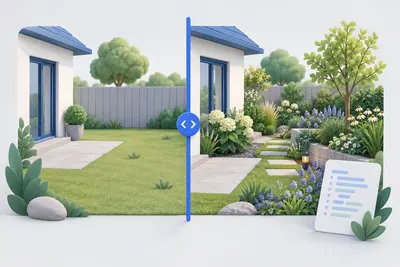
Before-and-after slider
Compare two images with a slider and get ready-to-use code without a third-party library.
Open tool
Create .htaccess
Configure redirects, HTTPS, compression and access protection for Apache with a few clicks.
Open tool
Create a legal notice
Select a legal form and enter your details to create a German legal notice under section 5 DDG.
Open tool